Building Production-Ready Applications: A Practical Student Checklist
A project can work perfectly on a developer’s laptop and still fail within minutes of reaching real users.
The database connection may break. A secret key may appear in the GitHub repository. A user may access another user’s record by changing an ID. The server may slow down when several people log in together. When the application fails, there may be no useful logs, backup, or previous version to restore.
That is the difference between a working prototype and a production-ready application.
For a final-year project, production readiness does not mean building enterprise infrastructure with hundreds of microservices. It means creating an application that can be deployed consistently, used safely, monitored, recovered, and explained with evidence.
Quick Answer: What Makes an Application Production-Ready?
A production-ready application is:
- Secure
- Tested
- Configurable
- Deployable
- Observable
- Recoverable
- Maintainable
- Documented
It protects secrets, validates inputs, checks user permissions, handles errors, uses controlled database changes, passes automated tests, produces useful logs, supports backups, and has a tested rollback process.
Production readiness is not a hosting platform or programming language. It is confidence supported by evidence.
What Does Production-Ready Mean?
A production-ready application is prepared to operate outside the developer’s local environment.
Google’s Production Readiness Review model evaluates a service according to its specific architecture, dependencies, instrumentation, reliability risks, and operational requirements. For a student project, this can be simplified into five questions:
- Can users complete the critical workflow?
- Is access to data properly controlled?
- Can the application detect and explain failures?
- Can lost data or a failed release be recovered?
- Can another person deploy and operate the application from its documentation?
A claim such as “the system is secure” is weak. Evidence such as a rejected unauthorized request, dependency scan, test report, and access-control matrix is stronger.
Three Levels of Production Readiness
|
Level |
Suitable For |
Minimum Standard |
|
Academic Demo Ready |
Classroom or viva |
Stable workflow, validation, demo data, setup guide |
|
Portfolio Ready |
Public staging URL |
Authentication, authorization, CI tests, logs, health check, backup |
|
Small Production Ready |
Limited real users |
Monitoring, alerts, incident runbook, tested recovery, support ownership |
Most final-year applications should first target Portfolio Ready. This demonstrates professional engineering practices without unnecessary enterprise complexity.
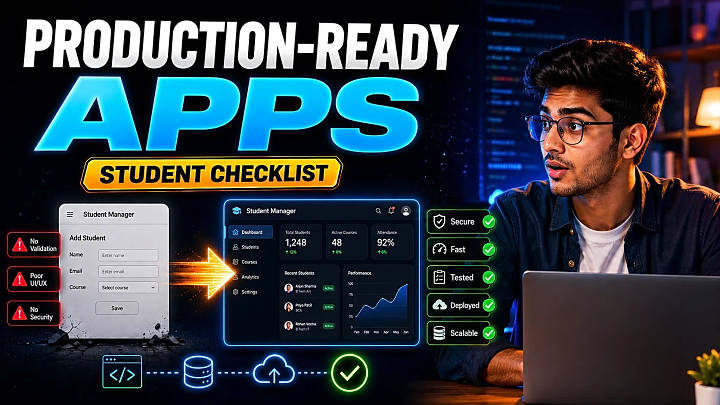
Prototype vs Production-Ready Application
|
Area |
Prototype |
Production-Ready Application |
|
Configuration |
Hardcoded values |
Environment-based configuration |
|
Security |
Login screen |
Authentication, authorization, validation, rate limits |
|
Testing |
Manual successful path |
Automated, negative, and failure testing |
|
Data |
Test records |
Migrations, constraints, backup, restore process |
|
Errors |
Raw or generic messages |
Controlled responses and structured logs |
|
Deployment |
Manual file copying |
Repeatable build and deployment process |
|
Monitoring |
No visibility |
Logs, health checks, metrics, alerts |
|
Recovery |
Rebuild manually |
Tested rollback and database restoration |
|
Documentation |
Feature list |
Setup, architecture, tests, deployment, operations |
Core Production-Readiness Requirements
1. Use Maintainable Architecture
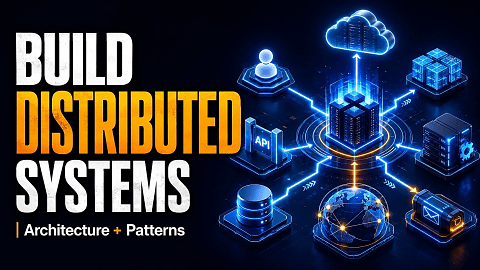
For most student projects, a modular monolith is a better starting point than microservices.
Separate modules such as users, attendance, products, orders, payments, and reports, but deploy them as one application. Keep controllers, validation, business logic, data access, models, and tests separate.
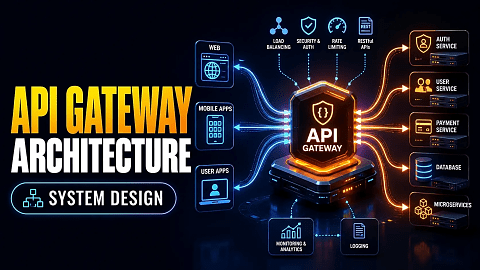
Microservices should solve a real requirement such as independent deployment or scaling. They should not be added only because they sound advanced.
2. Separate Configuration from Code
Never hardcode database passwords, JWT secrets, email credentials, payment keys, or cloud-storage credentials.
Use environment variables and commit only a safe .env.example file. The Twelve-Factor methodology recommends keeping deploy-specific configuration outside the codebase so development, staging, and production can use separate values.
Before publishing code, follow a secure GitHub project publishing workflow and confirm that the real .env file is ignored.
3. Secure Every Application Boundary
A valid login does not automatically make an application secure.
Implement:
- Server-side input validation
- Password hashing
- Secure sessions or token validation
- Role and object-level authorization
- File-type and file-size checks
- Rate limiting
- HTTPS
- Secure cookies
- Dependency scanning
- Least-privilege database accounts
OWASP recommends validating untrusted input on the server and rejecting invalid values before they enter the application workflow.
Test whether a user can access another user’s data by modifying a record ID. Hiding a button in the interface is not authorization; the backend must enforce the rule.
4. Automate Critical Tests
Test the workflow that must never fail.
For an online examination application, that workflow might be:
Login → Open Exam → Submit Answers → Store Submission → Calculate Result
Cover:
- Unit tests
- API and database integration tests
- End-to-end workflow tests
- Invalid-input tests
- Unauthorized-access tests
- Duplicate-submission tests
- Dependency-failure tests
- Basic load tests
A failed pipeline that catches a real defect can be valuable viva evidence because it proves that the quality-control process works.
5. Control the Database Lifecycle
Prepare:
- Versioned migrations
- Required constraints
- Foreign keys
- Appropriate indexes
- Transaction handling
- Safe seed data
- Scheduled or documented backups
- Verified restore instructions
Do not assume a backup works. Restore it into a separate database and verify that the application can read the recovered data.
Define two simple targets:
- RPO: How much recent data could be lost?
- RTO: How long may recovery take?
6. Define Reliability Targets
Production readiness becomes measurable when the application has acceptance criteria.
|
Signal |
Example Student Target |
|
Critical workflow success |
100% during controlled release testing |
|
Open critical security defects |
Zero |
|
API p95 response time |
Below the project’s documented threshold |
|
Error rate |
Below the documented threshold |
|
Backup restoration |
Successfully tested |
|
Health check |
Passes after deployment |
|
Rollback |
Successfully demonstrated |
These are project-specific targets, not universal industry limits.
7. Add Logs, Health Checks, and Alerts
Useful structured logs should include:
- Timestamp
- Environment
- Severity
- Event name
- Request ID
- Component
- Duration
- Safe contextual information
Do not log passwords, access tokens, or sensitive personal data.
Add endpoints such as:
- /health/live
- /health/ready
Liveness shows that the process is running. Readiness shows that the application can serve requests and reach critical dependencies.
Alerts should always have an action. “Error rate increased” is incomplete unless someone knows which dashboard, log, or recovery step to use.
8. Make Deployment Repeatable
A basic release pipeline can follow this order:
Commit → Install → Lint → Build → Test → Package → Deploy to Staging → Health Check → Production Approval
Use the same tested artifact in production rather than rebuilding different code on the server.
Before launching publicly, use a separate staging environment. FileMakr’s cloud deployment guide explains suitable deployment approaches for student web applications.
9. Prepare Rollback and Incident Response
Document:
- Previous stable version
- Rollback command
- Database compatibility
- Backup location
- Restore procedure
- Person responsible
- Verification steps
A small incident runbook can use this format:
|
Item |
Example |
|
Symptom |
Users cannot submit exams |
|
First check |
API health and database logs |
|
Immediate action |
Stop new submissions |
|
Recovery |
Restore stable application release |
|
Verification |
Complete one controlled submission |
|
Owner |
Named team member |
10. Check Accessibility and Mobile Behaviour
Before release, verify:
- Keyboard navigation
- Form labels
- Error messages
- Text contrast
- Mobile responsiveness
- Slow-network behaviour
- Image alternative text
- Touch-target size
An application is not ready for users when its main workflow works only on the developer’s laptop and screen size.
Step-by-Step Implementation Roadmap
- Define the critical user journey.
- Organize the codebase into maintainable modules.
- Move secrets and configuration outside the code.
- Add authentication, authorization, and server-side validation.
- Automate critical workflow and negative tests.
- Prepare migrations, backups, and restore instructions.
- Deploy the tested build to staging.
- Add logs, health checks, metrics, and alerts.
- Run load and dependency-failure tests.
- Perform a production-readiness review and approve or block release.
Final Production-Readiness Scorecard
Give one point for every completed item.
- Critical workflow passes
- Invalid inputs are rejected
- Unauthorized access is blocked
- No real secrets are committed
- Automated tests pass
- Database migrations are versioned
- Backup restoration is verified
- Staging uses separate configuration
- Health checks pass
- Logs contain request IDs
- Load test meets the documented target
- Rollback has been tested
- Mobile and accessibility checks pass
- Setup and recovery steps are documented
- A named person owns unresolved incidents
13–15 points: Ready for controlled release
9–12 points: Fix important gaps first
0–8 points: Not ready for production
Any open critical security defect, failed backup restoration, or untested rollback should block release regardless of the numerical score.
Evidence to Show During a Viva
Prepare:
- Architecture diagram
- Access-control matrix
- GitHub repository
- Automated test report
- Successful and failed CI runs
- Staging URL
- Health-check response
- Structured-log example
- Load-test summary
- Backup and restoration proof
- Rollback demonstration
- Production-readiness scorecard
The objective is not to claim that the application can support millions of users. The objective is to demonstrate that you understand how to measure, operate, and recover the system you built.
Frequently Asked Questions
What is a production-ready application?
It is an application that is secure, tested, configurable, deployable, observable, recoverable, maintainable, and documented sufficiently for its intended users and operating environment.
Is deployment the same as production readiness?
No. Deployment makes the application accessible. Production readiness also includes security, testing, monitoring, data recovery, failure handling, and rollback.
Does a final-year project need CI/CD?
Not every project needs automatic production deployment. However, a basic continuous-integration workflow can run tests and checks whenever code changes.
Do student projects need microservices?
Usually not. A modular monolith is normally easier to build, test, deploy, document, and defend during a viva.
How do I know whether my application is ready?
Complete a readiness review covering the critical workflow, security, tests, database recovery, deployment, observability, accessibility, documentation, and rollback.
Which tests should run before deployment?
Run unit, integration, end-to-end, validation, authorization, failure, and basic load tests for critical workflows.
What is the most important production-readiness check?
There is no single universal check. For most student applications, the highest priorities are access control, critical workflow testing, secret protection, backup restoration, and rollback.
Can a small application be production-ready?
Yes. Production readiness depends on the application’s intended use and documented requirements, not its size.
Conclusion
Building production-ready applications requires more than finishing features and purchasing hosting.
A reliable application needs maintainable architecture, protected configuration, secure access control, automated testing, controlled database changes, measurable reliability, repeatable deployment, monitoring, backups, and recovery procedures.
For a final-year project, avoid unnecessary enterprise complexity. Build one important workflow. Secure it. Test it. Deploy it to staging. Monitor it. Break it safely. Recover it. Then document the evidence.
That process turns a classroom prototype into a credible engineering application.
Need a working application on which to apply this checklist? Explore FileMakr’s final-year project source-code library, live demonstrations, and deployment guides, and evaluate each project against the same readiness criteria.
Before publication, add one genuine FileMakr or student-project implementation example with real measurements. Do not manufacture test results, response times, infrastructure details, or student testimonials.