Hospital Management System | Source Code
LIMITED TIME
Get Source Code ₹99
Open Live Demo
Real project UI Full source included Opens in new tab

Tap to open live demo

Interactive live demo — verify the project before you buy

Hospital Management System

Live Demo

Complete final-year project source code with frontend, backend, database, and setup guide. Instant download after secure payment.

  • PHP Stack
  • Instant Download
Secure CCAvenue payment Instant download link WhatsApp support

Choose your plan

Source Code Only

Full ZIP with frontend, backend, database & documentation.

₹99 one-time
  • Complete project source files
  • Database script included
  • How-to-run guide

What's in your download

Review features, setup steps, and credentials before you pay.

Project Overview

Description, tech stack, and what is included

Full source Frontend + backend
Database .sql file
Setup guide README included

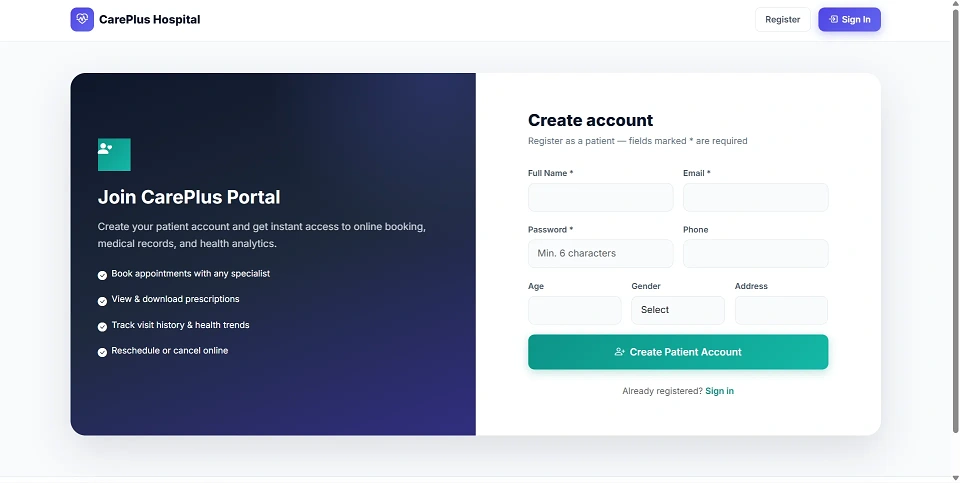
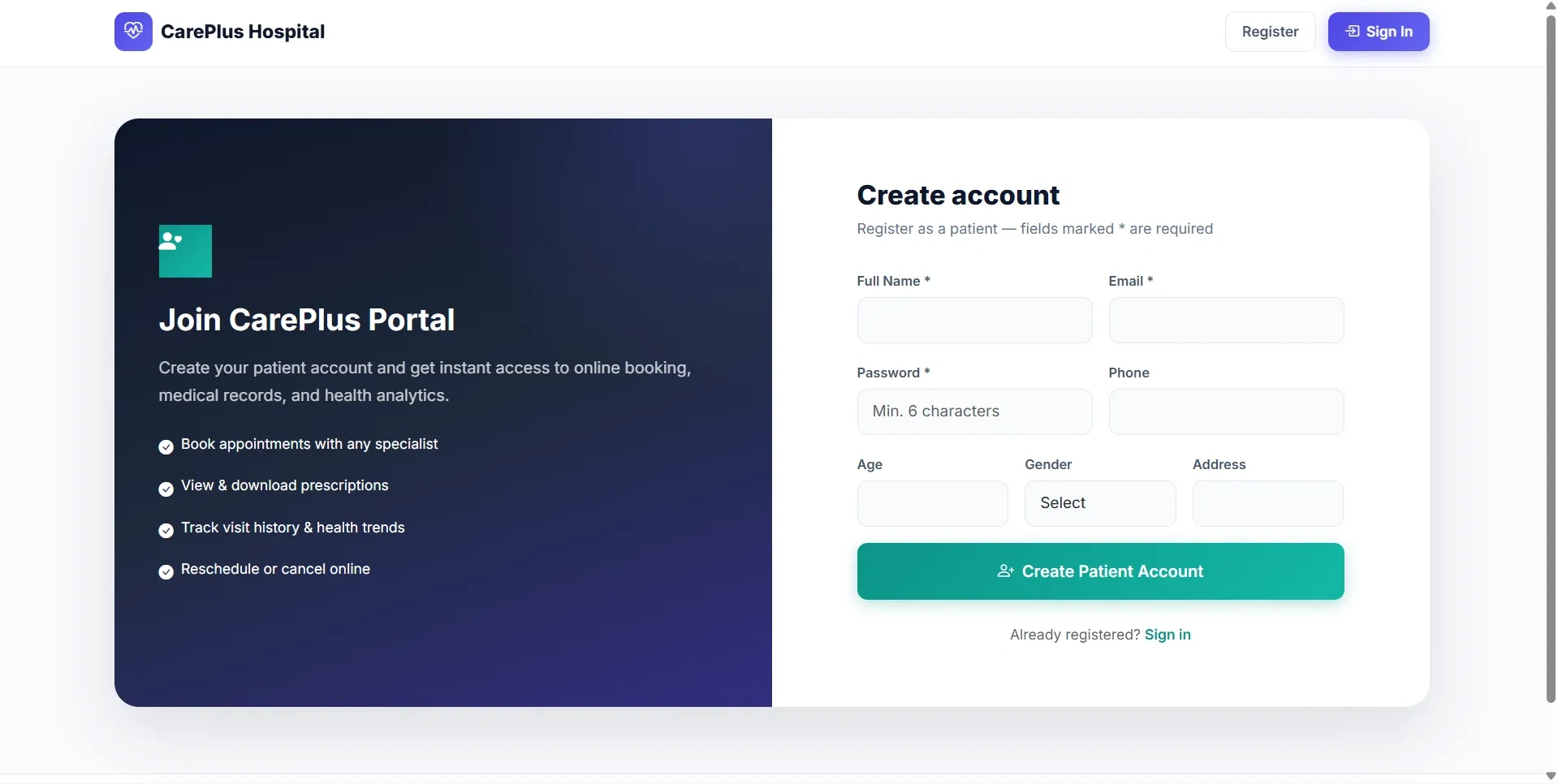
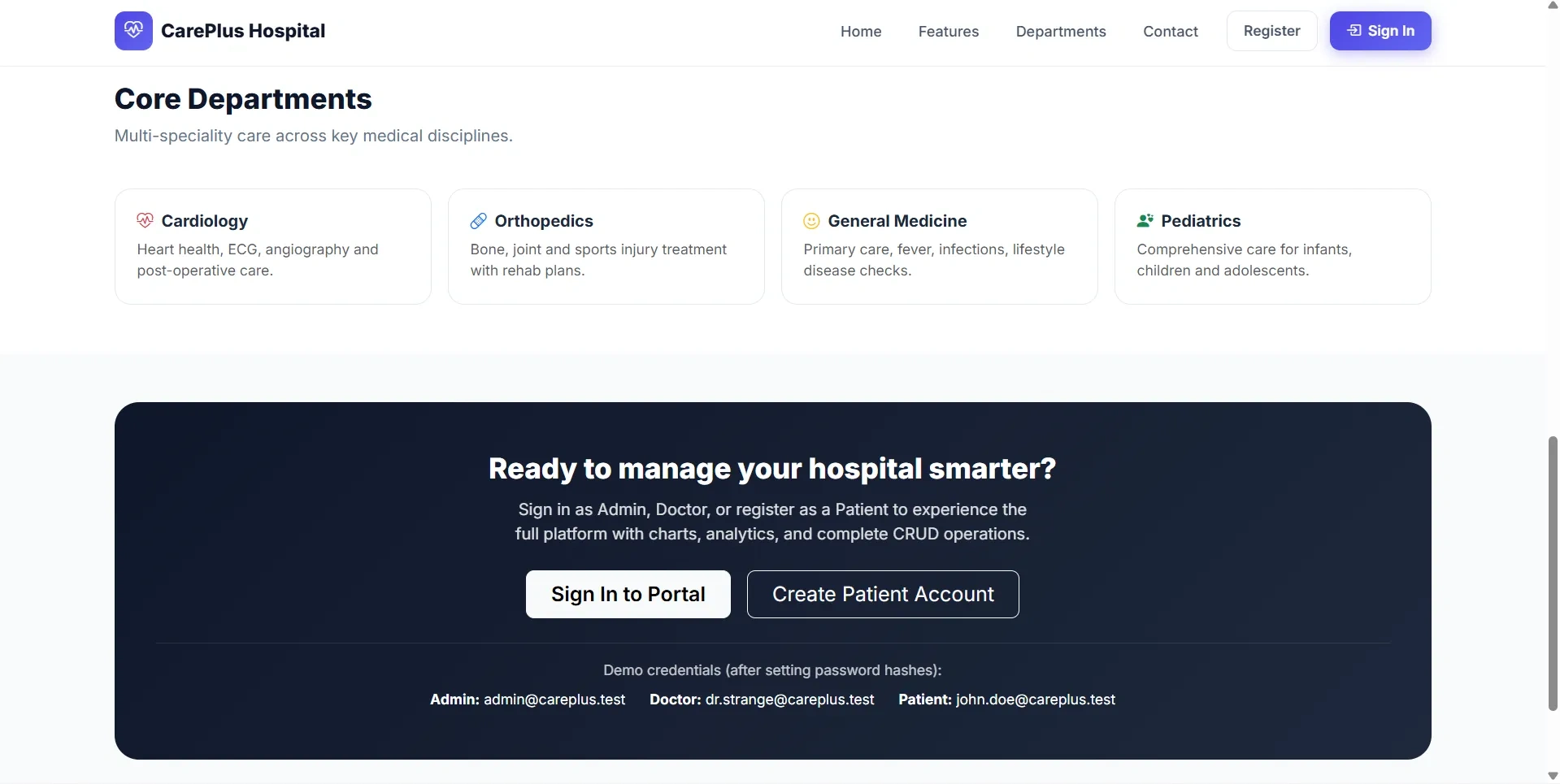
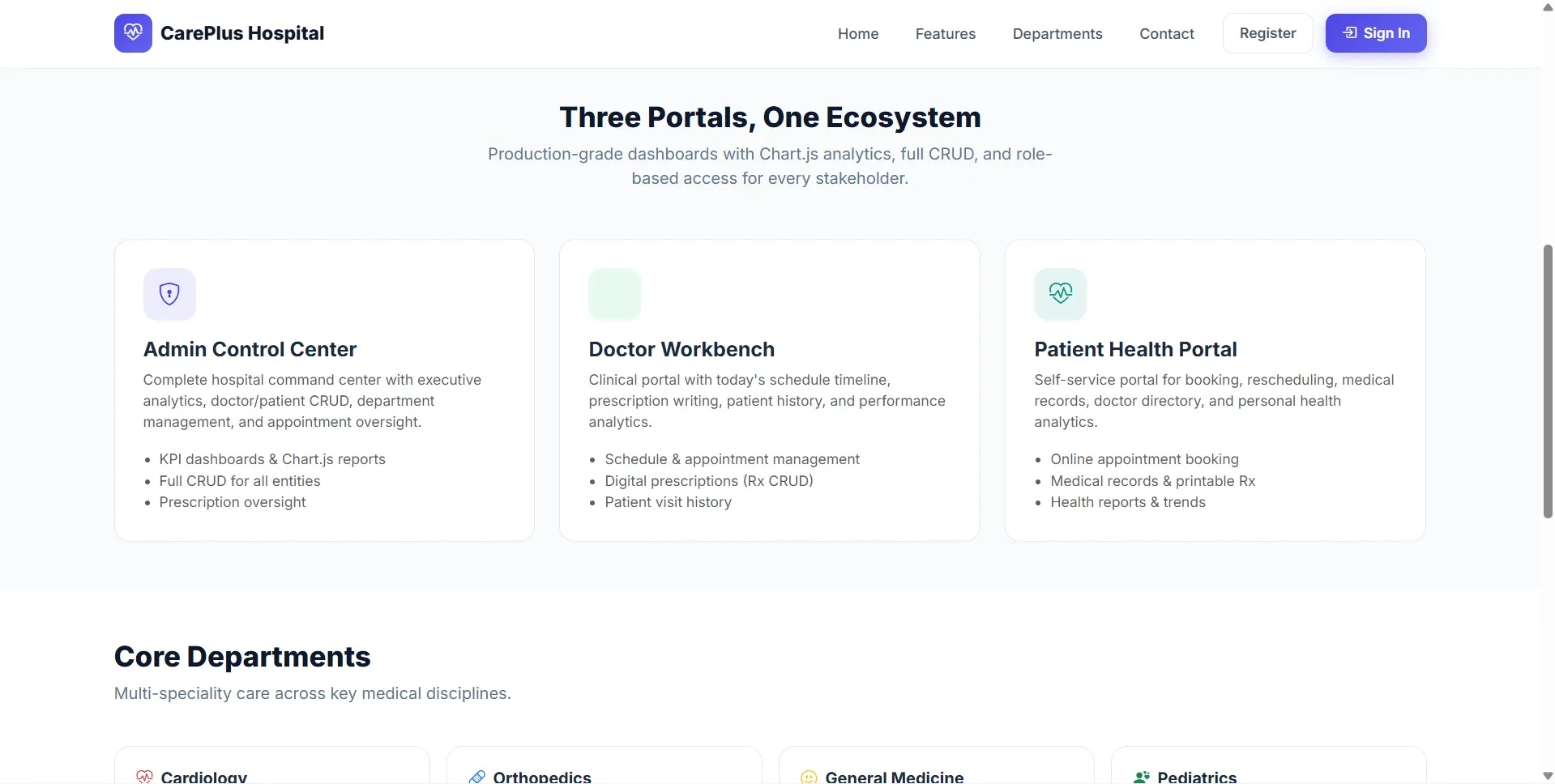
Hospital Management System is a final year project developed using Core PHP and MySQL for managing hospital operations through Admin, Doctor, and Patient portals. This final year project allows patients to register, book appointments, view appointment status, access prescriptions, browse doctors, and manage medical records. Doctors can manage schedules, approve appointments, complete consultations, write prescriptions, view patient history, and track performance reports. Admins can manage doctors, patients, departments, appointments, prescriptions, analytics reports, profile settings, and hospital-wide activity. With Chart.js dashboards, prescription management, appointment workflow, and secure role-based access, this project is suitable for a final year major project in PHP, MySQL, and healthcare management systems.

Technical snapshot

Project
Hospital Management System
Stack
PHP
Includes
Code, DB, README
License
Academic submission
Secure CCAvenue payment · Instant download · Need help? WhatsApp us

Ready to download?Pay once · Use for submission & viva

Admin Features

Modules and controls available to administrators

  • Admin login for this final year project
  • Admin dashboard with doctors, patients, appointments, pending, completed, and prescription counts
  • Status doughnut chart
  • Six-month appointment volume chart
  • Doctor workload chart
  • Recent appointments list
  • Appointment CRUD management
  • Create, edit, delete appointments
  • Filter appointments by date, status, and search keyword
  • Update appointment status: Pending, Approved, Completed, Cancelled
  • Add cancellation reason
  • Doctor CRUD management
  • Add doctor with specialization, timing, room, department, and bio
  • Edit doctor details
  • Delete doctor with linked-record guard
  • Patient CRUD management
  • Add and edit patient records
  • Archive and restore patient records
  • Department CRUD management
  • View doctor count and appointment count per department
  • Delete department blocked if doctors are assigned
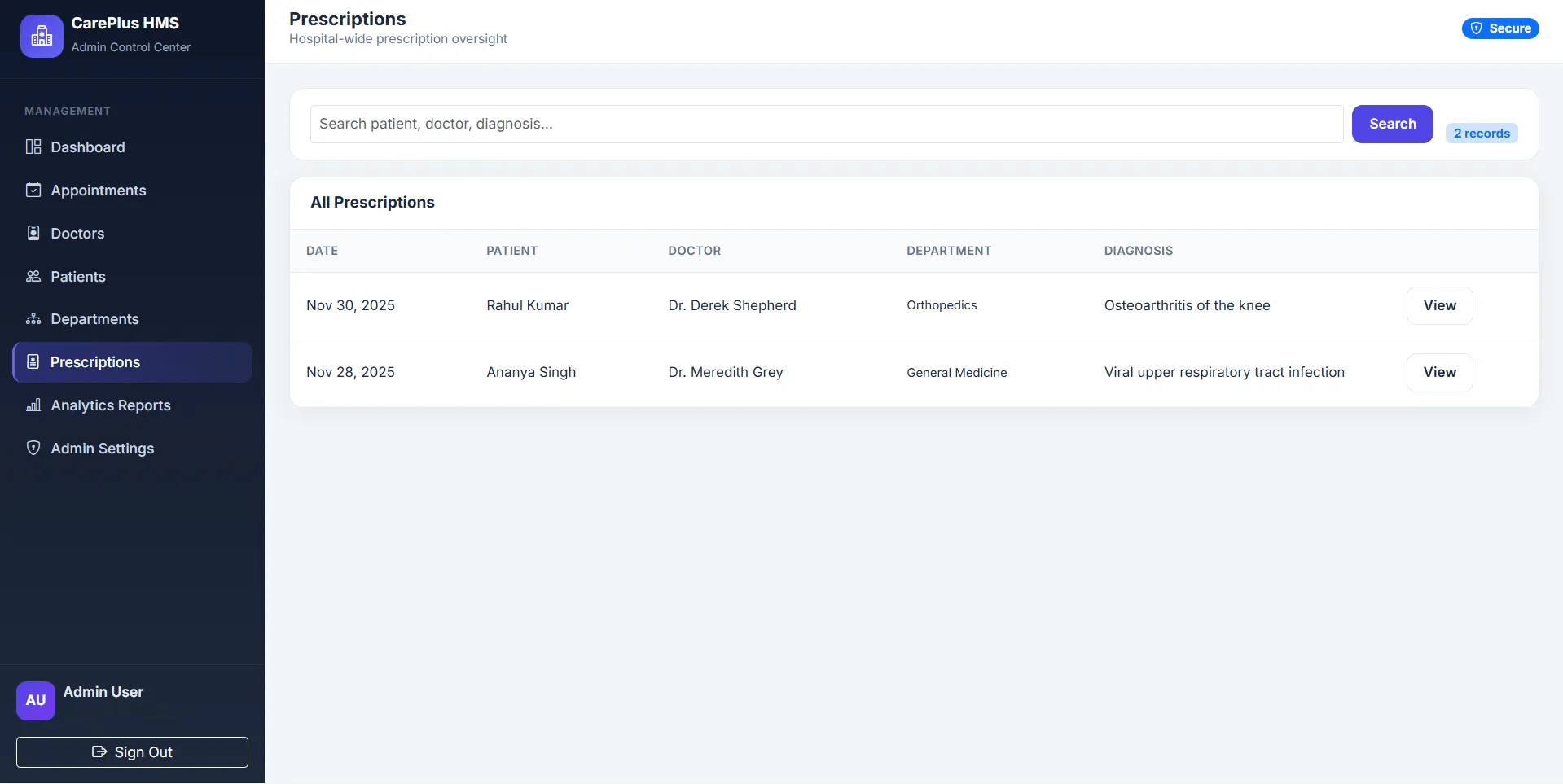
  • View all prescriptions
  • Search prescriptions by patient, doctor, or diagnosis
  • Print prescription details
  • Analytics reports with appointment, status, department, and doctor workload insights
  • Admin profile and password management

User Features

What end users can do in this application

  • Doctor login for this final year project
  • Doctor dashboard with KPIs and charts
  • Next patient hero card
  • Today’s schedule table
  • Daily appointment timeline
  • View appointments with filters and search
  • Approve pending appointments
  • Mark appointments as completed
  • Cancel appointments
  • Write prescriptions
  • Auto-complete visit after prescription
  • View prescription modal
  • View patient history
  • Patient directory with visit counts
  • View full patient profile
  • View visit history with prescriptions
  • Prescription list management
  • View prescriptions
  • Edit prescriptions
  • Delete prescriptions
  • Print clinical record
  • Doctor analytics reports
  • Completion rate and cancellation rate
  • Busiest weekday report
  • Top patients report
  • Doctor profile update
  • Consultation hours update
  • Bio update
  • Change password

Other Features

Additional capabilities included in the project

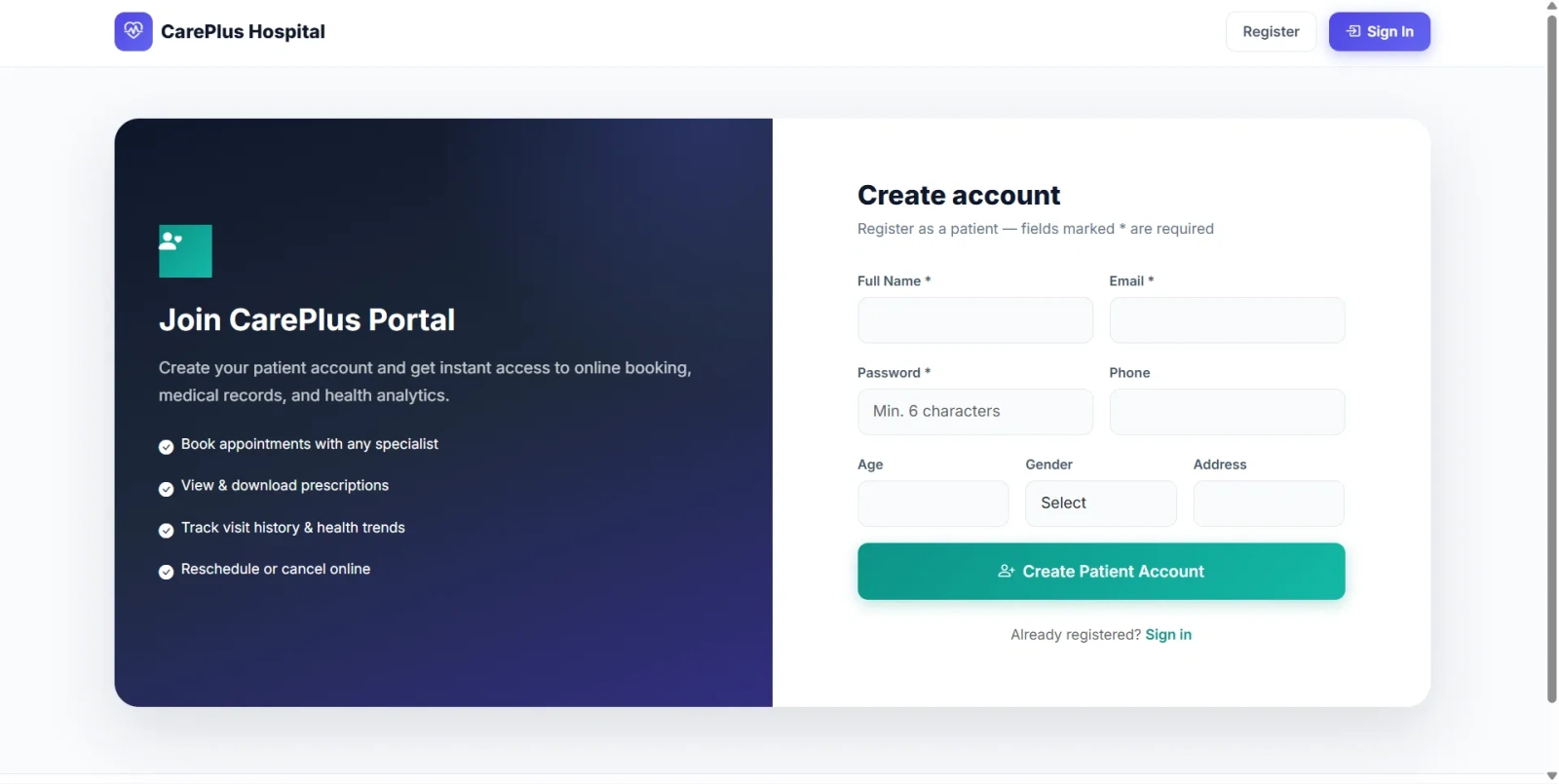
  • Patient registration and login
  • Patient dashboard with appointment and prescription stats
  • Next appointment card
  • Six-month visit trend
  • Recent prescriptions
  • Activity timeline
  • Book appointment
  • Select department and doctor
  • View doctor profile preview
  • Select date and time within booking window
  • Slot conflict detection
  • Add symptoms/problem description
  • View appointment list
  • Filter appointments by status and date range
  • Reschedule appointment
  • Cancel appointment with reason
  • View prescription modal
  • Print appointment list
  • Medical records page
  • Search prescription history
  • Print visit record
  • Health reports with visit trends and department analytics
  • Browse doctor directory
  • Filter doctors by department
  • Search doctors
  • Book appointment directly from doctor page
  • Profile update with phone, age, gender, address, and health concern
  • Change password
  • Public website included in this final year project
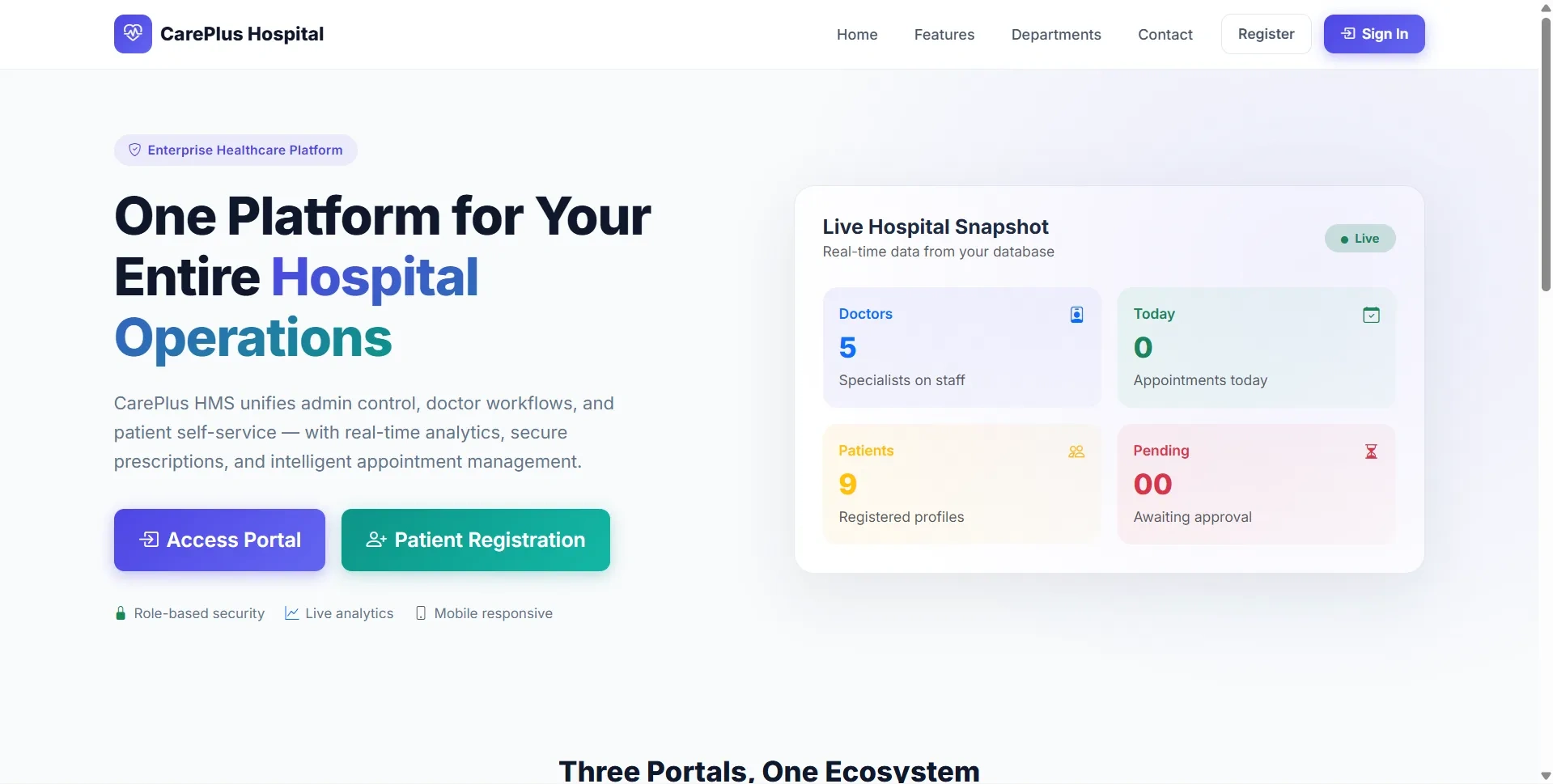
  • Public landing page with hospital statistics and department showcase
  • Unified login for Admin, Doctor, and Patient
  • Patient self-registration
  • Role-based redirect after login
  • Appointment status flow: Pending → Approved → Completed / Cancelled
  • Prescription fields: diagnosis, medicines, advice, follow-up date
  • Soft delete/archive support for patients
  • Linked-record delete guards for doctors and departments
  • CSRF protection on POST forms
  • MySQLi prepared statements
  • Password hashing using bcrypt
  • Session authentication with role checks
  • JWT-like HMAC token stored in session
  • htmlspecialchars() output escaping
  • Bootstrap responsive UI
  • Chart.js analytics dashboards
  • Printable reports and prescriptions
  • Seed data with departments, doctors, patients, appointments, and prescriptions
  • Suitable for final year project demo, viva, source code review, and report preparation

How to Run

Step-by-step setup on your laptop or PC

  • opy the final year project folder into:


    C:\xampp\htdocs\hospital_management_system\
  • Start Apache and MySQL.
  • Import database:


    mysql -u root -p < database.sql
  • Edit:


    config.php
  • Set database credentials:


    $host = "localhost";
    $user = "root";
    $pass = "";
    $db   = "hms_php";
  • Generate bcrypt hash for password:


    php -r "echo password_hash('password', PASSWORD_BCRYPT);"
  • Update seed user password hashes in MySQL for demo accounts.
  • Open:


    http://localhost/hospital_management_system/index.php

Login Credentials

Default demo accounts for testing after setup

Admin

Doctor

Patient

License

Usage terms for academic and personal projects

Related Tags

Search terms and categories for this source code

Hospital Management System Source Code Final Year PHP Project Ready-to-Run Code With Database File Plagiarism-Free Faculty Approved hospital management system final year project PHP hospital management project doctor patient appointment system hospital appointment booking project prescription management system PHP MySQL final year project healthcare management system patient portal project doctor dashboard project CarePlus HMS source code