01 Source Code Only
₹99
One-time Payment
- Complete project source code
- Database / data resources
- Dependencies & configuration
- README / setup guide
- Instant download access
Complete final-year project source code with frontend, backend, database and setup documentation. Instant download after secure payment.
Hover to zoom · Click to expand
Simple pricing. Instant access. Secure checkout.
01 Source Code Only
One-time Payment
02 Code + Setup Support
One-time Payment
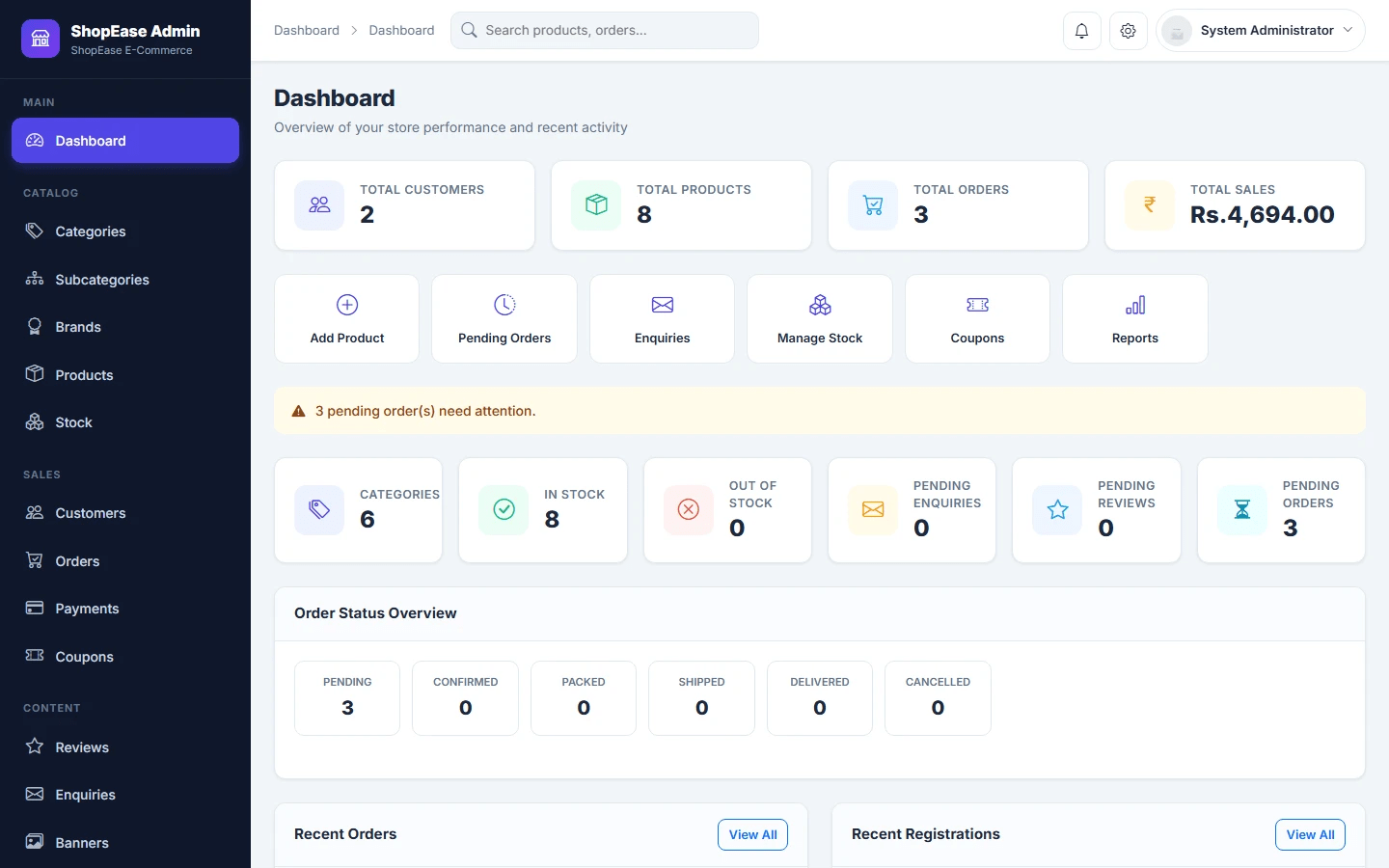
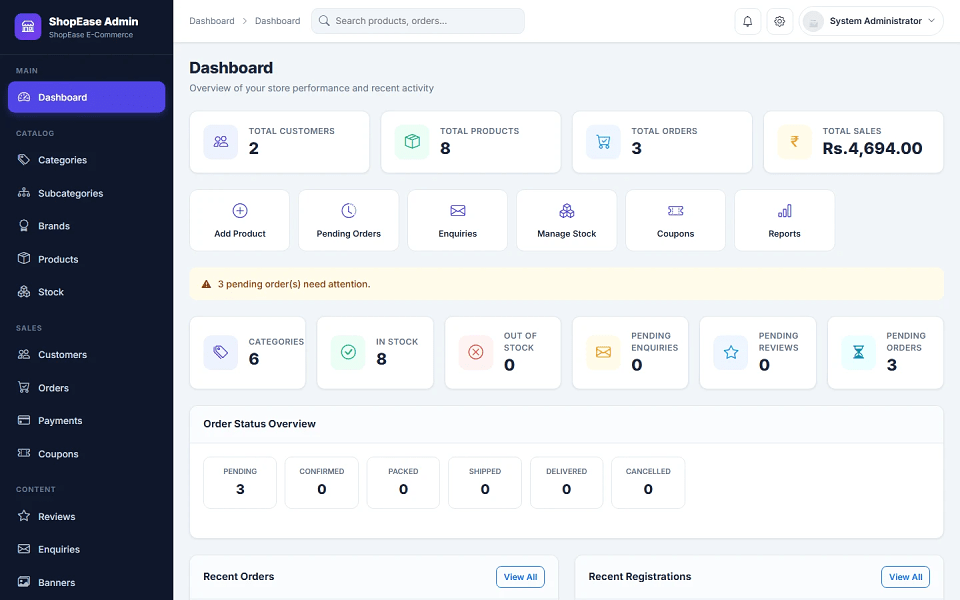
ShopEase E-Commerce Management System is a PHP and MySQL based final year project developed for managing online shopping and ecommerce operations. This major project includes a modern customer storefront and a complete admin panel. Customers can register, log in, browse products, search and filter products, view product details, select size and color variations, add products to cart, manage wishlist, apply coupon codes, add delivery addresses, place Cash on Delivery orders, track order status, download invoices, cancel eligible orders, submit reviews, and contact support. Admins can manage categories, subcategories, brands, products, variations, stock, customers, orders, payments, coupons, reviews, enquiries, banners, website settings, reports, and profile details. This ecommerce source code is suitable for students who need a final year project, major project, minor project, source code, and project report based on PHP and MySQL.
admin[email protected]admin123{BASE_URL}admin/Demo Customer Account
[email protected]user123password_hash() and password_verify()setup.php password hash setupCopy the project folder into:
C:\xampp\htdocs\E-Commerce Management System Using PHP and MySQL\
Import database file:
database/ecommerce.sql
Database name:
ecommerce_db
Edit configuration file:
config/config.php
Set database details:
define('DB_HOST', 'localhost');
define('DB_USER', 'root');
define('DB_PASS', '');
define('DB_NAME', 'ecommerce_db');
Set base URL:
define('BASE_URL', 'http://localhost/E-Commerce%20Management%20System%20Using%20PHP%20and%20MySQL/');
Ensure upload folders are writable:
uploads/
uploads/products/
uploads/categories/
uploads/brands/
uploads/banners/
uploads/admin/
uploads/settings/
Run setup script once:
http://localhost/E-Commerce%20Management%20System%20Using%20PHP%20and%20MySQL/setup.php
setup.php after setup.
http://localhost/E-Commerce%20Management%20System%20Using%20PHP%20and%20MySQL/
http://localhost/E-Commerce%20Management%20System%20Using%20PHP%20and%20MySQL/admin/
admin[email protected]admin123{BASE_URL}admin/Demo Customer Account
[email protected]user123


